


Embroidery design conversion guide
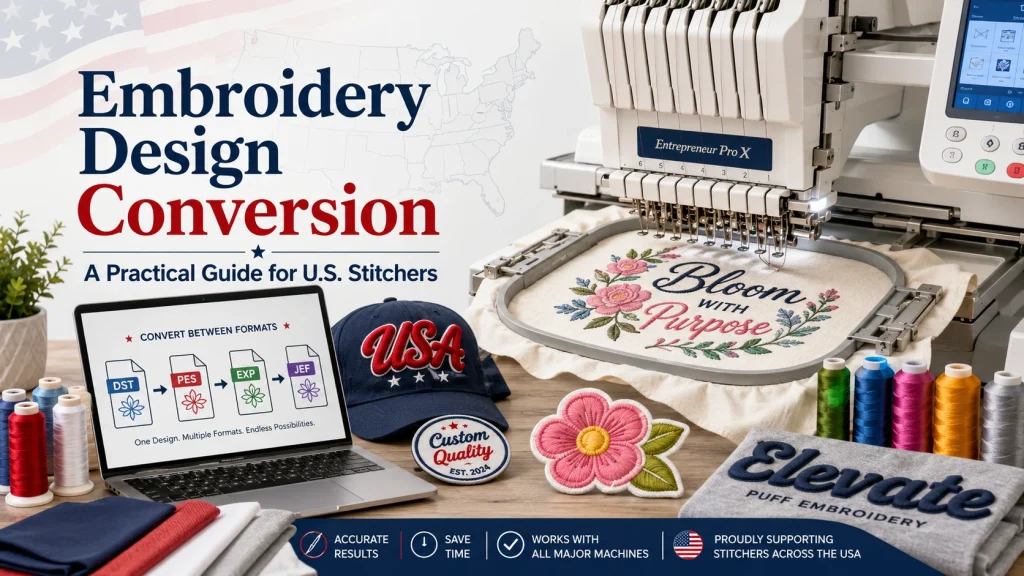
Ever downloaded a gorgeous embroidery design, loaded it onto your machine, and watched it spit out a tangled mess instead? Yeah, that’s happened to basically everyone who’s tried this hobby. And honestly, it’s almost never about skill. It’s about file format. An embroidery design only stitches the way it’s supposed to when the format actually matches what your machine reads. Get that wrong, and you’ve burned thread, fabric, and probably your patience for the whole evening.
This guide is basically everything I wish someone had told me early on about converting designs between formats, finding free resources you can actually trust, and picking a machine that fits how you work. We’ll also dig into trickier stuff like puff embroidery and applique, since those need a bit more care during conversion than your average design does.
Understanding Embroidery Design Conversion
At its core, conversion just means taking a file built in one format and turning it into something your machine or software can actually read. Designers build a master file first, then export copies into formats like DST, PES, EXP, or JEF. Every machine brand has its own preference, so a file made for a Bernina usually won’t run on a Brother without converting it first. Annoying, right?
Here’s the part nobody really warns you about: stitch density can shift a little during conversion. A design that looked perfect in one format might pucker or leave odd gaps once it’s converted, and that changes how the thread sits on your fabric. So before you commit to a full project, run a quick test stitch on scrap material first. It takes maybe five minutes, but it’ll save you from wrecking good fabric later.
A lot of beginners just assume any embroidery design works on any machine. Honestly? That one assumption probably ruins more projects than anything else in this whole hobby.
Popular File Formats and How They Differ
A handful of file types basically run the embroidery world, and knowing how they differ saves you real time at the sewing table.
DST Embroidery Files Explained
A dst embroidery file is about as universal as it gets. Tajima machines and most commercial systems read it without any fuss. These files store stitch placement but skip color data, so you’ll need a separate thread chart to go along with it. The nice thing about free dst files you’ll find online is that they tend to work across several machine brands, which makes this a pretty solid format to start with if you’re new to all this.
PES Files Built for Brother Machines
Own a Brother machine? Then you’ll run into PES files all the time, trust me. Free pes files and free pes embroidery designs for Brother users are everywhere online, and a lot of them already come with color sequencing built in, which is nice. Free pes embroidery designs 4×4 sizing works great for smaller hoops too, just check your hoop dimensions first before you download anything new.
EXP and JEF Formats Worth Knowing
Some Bernina machines run on EXP files, while certain Janome models lean toward JEF instead. Switching between the two usually means dedicated software, though plenty of free online converters can handle a basic swap without much hassle.
Finding Quality Free Embroidery Designs
Generous designers post thousands of patterns online, and the quality, honestly, it’s all over the place. Free embroidery designs pdf and free embroidery patterns pdf packs often come with stitching instructions attached, which helps a ton if you’re still learning the ropes. You’ll even spot sites advertising 100 free embroidery designs in one bundle, which is a nice shortcut to building a starter library without spending a dime.
Try to find freebies embroidery designs download pages that get updated often, since older archives are usually full of dead links (nothing worse than clicking a promising link and hitting a 404). Pairing free machine embroidery designs to download with free machine embroidery samples lets you get a feel for a designer’s style before spending real money on their paid stuff. Brother embroidery patterns free collections and emb designs free libraries are worth bookmarking too. And free embroidery designs brother free downloads usually arrive pre-formatted for Brother hoops already, so you skip the whole conversion headache.
Free embroidery fonts deserve a mention as well, since lettering projects make up a huge chunk of home embroidery work. Good fonts convert cleanly no matter the format. Poorly digitized ones, though, tend to leave weird gaps between letters that’ll drive you a little crazy later.
Specialty Techniques That Need Extra Conversion Care
Some embroidery styles get a little unpredictable after conversion, so they’re worth slowing down for before you load anything onto your machine.
Puff and 3D Puff Embroidery
Puff embroidery and 3d puff embroidery rely on foam stabilizer tucked underneath the stitching to get that raised, dimensional look everyone loves. Because the foam adds real height, a converted file needs the right underlay settings, or the stitches just tear straight through it (and yes, that’s as frustrating as it sounds). 3d puff embroidery hats are having a real moment right now, and a lot of people are searching for 3d puff embroidery fonts made specifically for curved cap frames. If you stitch puff embroidery hats often, it’s genuinely worth investing in software that lets you preview foam thickness before exporting your final file.
Bead Embroidery Templates and Patterns
Bead work runs on totally different logic than thread stitching, but digital tools still help quite a bit here too. Bead embroidery templates and bead embroidery designs map out exact bead placement, so your finished pattern looks intentional instead of scattered everywhere. If you’d rather work by hand, beaded embroidery patterns free downloads give you a printable guide that’s pretty easy to follow.
Selecting a Machine That Matches Your Format Needs
Your machine pretty much decides which formats matter most to you. So it really helps to know what each brand expects before you spend your money.
Brother Embroidery and Sewing Machines
A typical brothers embroidery machine reads PES files right out of the box, and plenty of models come with hoop embroidery machine capability built in for bigger projects. Want something focused purely on design work? Look at a brother embroidery only machine. But if you’d rather switch between garment construction and decorative stitching, a brothers embroidery and sewing machine combo handles both jobs at once. Brothers embroidery options span a wide price range too, so beginners can start small without overspending right out of the gate.
Bernina Embroidery Machines
Bernina embroidery machines usually run on proprietary formats, which means downloaded designs often need converting through dedicated software before they’ll even work. But once that conversion happens correctly, stitch quality tends to be excellent. Bernina handles tension adjustments smoothly across most file types, which is honestly one big reason people stay loyal to the brand for years.
CNC and Production Machines
A cnc embroidery machine takes things a step further by running multiple stitching heads at once for production work. These setups need precisely converted files, since even a tiny error multiplies across every head running at the same time. If you’re scaling from hobby stitching into small batch orders, get in the habit of double checking your conversion settings every single time you swap designs. Trust me, it’s worth the extra thirty seconds.
Turning Pictures Into Stitchable Files
A lot of crafters want to take a photo or drawing and turn it into a real embroidery design, and software has made this way more doable than it used to be even a few years ago.
From Photo to Sewn Picture
Creating sewn pictures from a digital image usually starts with a design doodler or similar tracing app. That automated result almost always needs some cleanup before stitching, since tracing software loves adding unnecessary points around curved edges. Once it’s cleaned up, the file converts just like any other embroidery design.
Convert Picture to Crochet Pattern Free
Interestingly, a similar idea pops up outside embroidery too. Crafters who want to convert picture to crochet pattern free usually rely on grid based tools that turn pixels into stitch counts. It’s not all that different from how embroidery software turns artwork into needle paths, actually. Learning one conversion method genuinely makes the other one click a lot faster.
Cross Stitch Conversion and Design Tools
A cross stitching pattern works on a grid rather than a continuous stitch path, so turning a regular embroidery design into cross stitch format calls for completely different software. A dedicated cross stitch machine speeds things up for shops selling finished kits, though most hobbyists still prefer stitching this one by hand. And honestly, there’s something kind of satisfying about doing it that way, gridded patience and all. Design doodler apps bridge that gap nicely, letting you sketch directly and export a usable pattern without needing specialized programs.
Practical Steps Before Converting Your Next Design
A little prep work goes a long way before you commit thread and fabric to something new.
Start by confirming your hoop size actually matches the design dimensions, since resizing after conversion throws off stitch density in ways you really won’t expect. Next, check the thread color list against what you actually have sitting in your stash, especially with free embroidery designs that sometimes use weird generic numbering. And always run a quick test on similar fabric first, because tension behaves very differently on stretchy knits compared to stable cotton.
Downloading a stack of free embroidery files feels exciting, sure. But converting and testing each one properly protects both your materials and your time. Embroidery inspiration only goes so far without solid conversion habits backing it up, whether you’re stitching deer embroidery, blouse embroidery designs, or whatever else catches your eye that particular week. Get your format sorted, and every embroidery design you convert turns into one you’ll actually finish and want to wear.
FAQs
Everything you need to know about Embroidery design conversion guide
What's the easiest embroidery file format to convert for beginners?
DST tends to be the friendliest option since so many machines and software programs read it without extra steps. If you’re just starting out, look for designs already offered in DST before worrying about converting anything yourself.
Can I convert a PES file to DST for free?
Yes, several free online converters handle this swap without much trouble. Just double check the converted file on scrap fabric first, since stitch density can shift slightly during the process.
Why does my converted embroidery design look different on fabric than on screen?
This usually happens because stitch density or underlay settings change a bit during conversion. It’s not your machine’s fault, it’s just how file translation works sometimes, so testing on scrap material really does help catch this early.
Do free embroidery designs work as well as paid ones?
A lot of them do, honestly, especially from designers who’ve been doing this for years. Quality really varies though, so it helps to test a free file on scrap fabric before trusting it with a big project.
What software do I need to convert embroidery files myself?
Programs like Embrilliance, Wilcom, or even free tools like SewArt can convert between most common formats. You don’t need anything expensive to get started, especially if you’re just doing occasional conversions.
Is puff embroidery harder to convert than regular designs?
A bit, yeah. Puff designs need specific underlay settings to handle the foam properly, so a straight conversion without adjusting those settings can cause stitches to tear through the material.
Ready to Start Stitching?
If you’ve made it this far, you clearly care about getting your embroidery design conversion right, and that already puts you ahead of a lot of people who just hit download and hope for the best. Grab a few free files, run a test stitch, and see how your machine handles them. And if you’re hunting for reliable downloads or want help picking the right format for your machine, feel free to reach out or browse our embroidery resource library. We’re always happy to help you stitch something you’ll actually be proud of.